Deleting Veo Studio: A Post-Mortem on Thin API Wrappers
A technical teardown of Veo Studio, the AI video generator I ultimately deleted. Learn why thin API wrappers fail, what backend architecture was worth salvaging, and how modern AI video systems actually work in 2026.
The Project That Looked Right — Until It Didn't
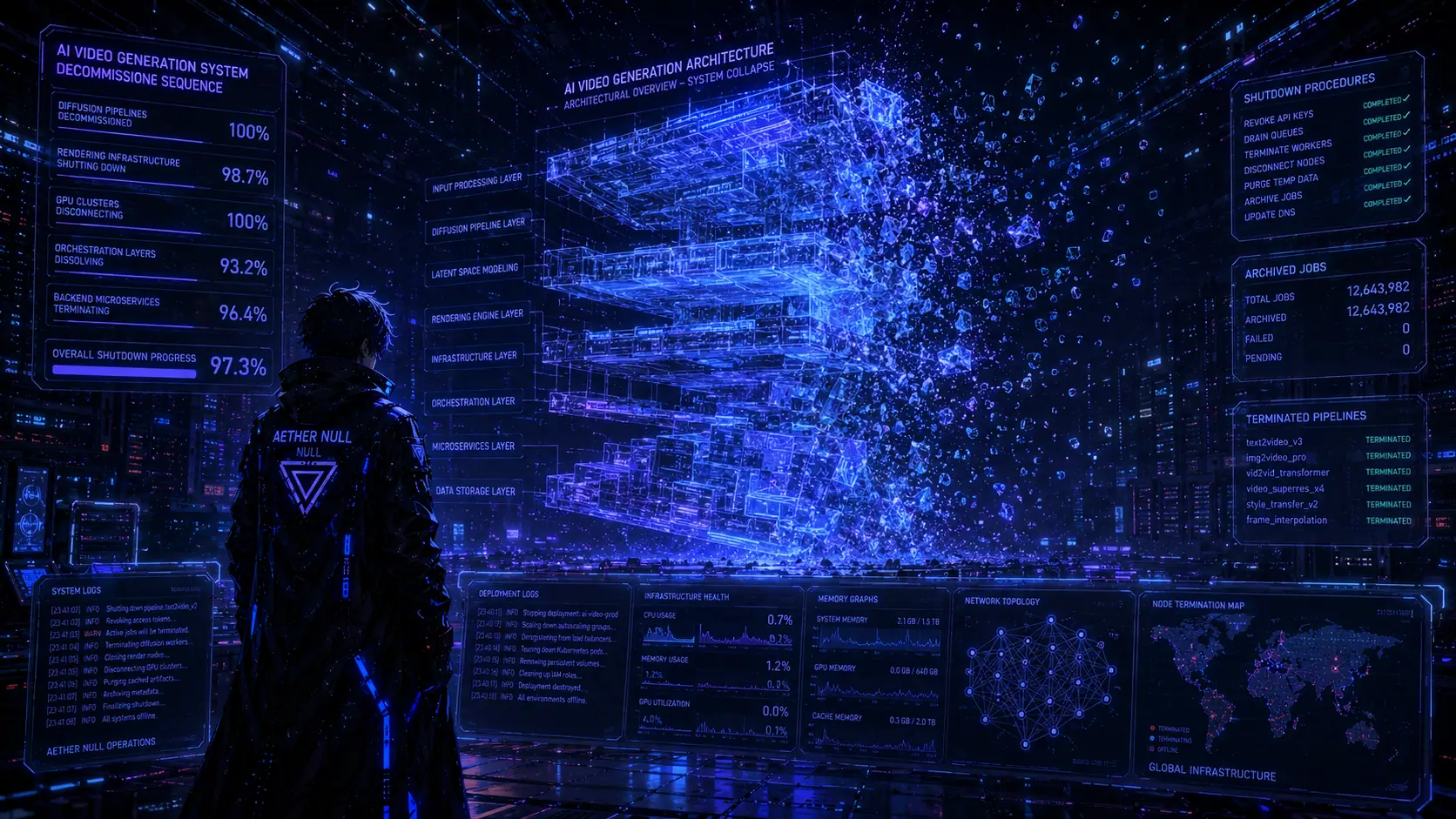 Aether Null Deconstructing Code Architecture
For a brief period, I built several AI video generation projects around Google's Veo ecosystem. At first glance, the idea seemed obvious: connect to Veo, add a polished interface, generate videos, and ship.
Unfortunately, that logic contains a dangerous assumption:
If an AI model is valuable, then wrapping it in a prettier interface must also be valuable.
In 2026, that assumption is often false. The market has matured drastically. Companies such as Google, OpenAI, ByteDance, and Kuaishou now invest billions into model infrastructure, rendering systems, inference optimization, user experience, and distribution. Competing directly against the model provider with a thin wrapper is rarely a sustainable strategy.
What began as a promising project eventually became a cleanup operation. And surprisingly, the most valuable outcome wasn't the application itself—it was the architecture hidden inside it.
The Thin Wrapper Trap
A thin wrapper is a product that adds very little value beyond the underlying model. Typical examples include:
| Product Type | Risk Level |
|---|---|
| Basic image/video generator | Very High |
| Chat UI around an LLM | Very High |
| Prompt marketplace | High |
| Workflow automation layer | Moderate |
| Specialized vertical solution | Lower |
The problem is simple: when the platform owner releases a better native experience, your differentiator disappears overnight. That is exactly what happened with Veo Studio. At the beginning, custom tooling made sense. Later, Google's ecosystem evolved rapidly. Tools such as Google Flow provided increasingly capable native video-generation workflows with significantly lower maintenance overhead. The result was unavoidable: the wrapper became redundant.
Deleting a product is not failure. Continuing to maintain a product after its core value proposition disappears is usually a much more expensive mistake.
The Cloud Nightmare Nobody Talks About
Most beginner AI builders focus on prompts; senior engineers focus on attack surfaces. One of the biggest risks in AI products is exposing cloud infrastructure through poorly designed client-side applications.
Consider this architecture:
Browser → API Key → Video Generation Endpoint → Unlimited Spend PotentialThis is where projects become dangerous. A leaked key gets scraped, a bot begins generating videos, and thousands of requests execute overnight. The next morning arrives with an invoice measured in thousands of dollars. Not because the application was hacked, but because the architecture was fundamentally flawed.
The Correct Principle
Never treat client-side applications as trusted environments. The browser is a hostile environment. Always assume that requests can be inspected, traffic can be replayed, payloads can be modified, and secrets can be extracted.
A beautiful React interface does not make an AI product secure. If billing-enabled credentials can be abused from the client side, the architecture is already compromised. The backend should remain the sole trust boundary.
The Code Salvage Operation
Before deleting Veo Studio, I performed a full repository audit. The goal was not to save the application, but to save the engineering. After reviewing the project, five components contained the majority of the long-term engineering value.
1. LRO Polling System
Modern AI video generation is not a traditional request-response workflow. Generation can take anywhere from 30 seconds to several minutes, creating a Long Running Operation (LRO).
Without a robust polling engine to handle operation tracking, retry orchestration, timeout controls, and quota recovery, production systems become fragile. The polling layer solved the orchestration problem.
export const wait = (ms: number) => new Promise(resolve => setTimeout(resolve, ms));

// 1. Exponential Backoff for Rate Limits
export async function retryWithBackoff<T>(fn: () => Promise<T>, retries = 5, baseDelay = 15000): Promise<T> {
  try {
    return await fn();
  } catch (error: any) {
    const isQuota = error.code === 429 || error.status === 429 || error.status === 'RESOURCE_EXHAUSTED' ||
      (error.message && (error.message.includes('quota') || error.message.includes('429')));

    if (isQuota && retries > 0) {
      console.warn(`Quota exceeded. Retrying in ${baseDelay/1000}s... (${retries} retries left)`);
      await wait(baseDelay);
      return retryWithBackoff(fn, retries - 1, baseDelay * 1.5);
    }
    throw error;
  }
}

// 2. Long-Running Operation (LRO) Poller
export async function pollOperation(operation: any, aiInstance: any) {
  let currentOp = operation;
  while (!currentOp.done) {
    await wait(10000);
    try {
      currentOp = await aiInstance.operations.getVideosOperation({ operation: currentOp });
    } catch (e: any) {
      if (e.code === 429 || e.status === 429 || e.status === 'RESOURCE_EXHAUSTED') {
        await wait(15000);
        continue;
      }
      throw e;
    }
  }
  return currentOp;
}
View Raw Code on GitHub Gist
2. Prompt Vibe Middleware
One of the most underrated architectural concepts in generative AI is prompt transformation. Users think in intentions, but models operate on structured context.
The middleware acts as a bridge, translating user intent into style expansion, and finally into a highly structured model prompt. This makes outputs more consistent without requiring users to become prompt engineers.
import { GoogleGenAI } from "@google/genai";

export const refinePromptWithVibe = async (rawPrompt: string, styleTarget: string, apiKey: string, ingredientImage?: string): Promise<string> => {
  try {
    const ai = new GoogleGenAI({ apiKey });

    let instruction = `
      Role: Creative Middleware Engine.
      Task: Rewrite the user prompt to be highly visual, cinematic, and technically structured for video generation.
      Style Target: ${styleTarget}
      Rules: No real celebrities, no violence, no NSFW.
    `;

    if (ingredientImage) {
        instruction += `\n[IMAGE INGREDIENT DETECTED]: The user has attached an image.
        Analyze this image's AESTHETIC (Lighting, Color Palette, Texture, Mood).
        ACTION: Apply these aesthetic qualities to the prompt rewrite.
        IMPORTANT: Do NOT describe the image's subject matter. Just steal the "Vibe".`;
    }

    instruction += `\nInput Prompt: "${rawPrompt}"\nOutput ONLY the rewritten prompt.`;

    const response = await ai.models.generateContent({
        model: 'gemini-2.5-flash',
        contents: [{ role: 'user', parts: [{ text: instruction }] }]
    });

    return response.text ? response.text.trim() : rawPrompt;
  } catch (e: any) {
    console.warn("Middleware failed, falling back to raw prompt.");
    return rawPrompt;
  }
};
View Raw Code on GitHub Gist
3. HF Fallback Router
Provider lock-in is a strategic risk. Every AI product should assume that providers will change pricing, alter quotas, deprecate models, or experience outages.
The fallback router guarantees resilience. If the primary provider is unavailable, it automatically shifts traffic to a fallback provider, ensuring continuous service. Users rarely care which model generated the output; they only care that the output exists.
export const fetchFreeAIVideo = async (prompt: string, apiKey?: string): Promise<Blob> => {
    const HF_MODELS = [
        "damo-vilab/text-to-video-ms-1.7b",
        "cerspense/zeroscope_v2_576w",
        "ali-vilab/text-to-video-ms-1.7b"
    ];

    const tryModel = async (modelName: string, retries = 3, useProxy = false): Promise<Blob> => {
        const headers: Record<string, string> = { "Content-Type": "application/json" };
        if (apiKey) headers.Authorization = `Bearer ${apiKey}`;

        const baseUrl = `https://router.huggingface.co/models/${modelName}`;
        const url = useProxy ? `https://corsproxy.io/?${encodeURIComponent(baseUrl)}` : baseUrl;

        try {
            const response = await fetch(url, {
                method: "POST", headers, body: JSON.stringify({ inputs: prompt })
            });

            if (!response.ok) {
                if (response.status === 503 && retries > 0) {
                    console.warn(`[503] Model ${modelName} waking up. Retrying...`);
                    await new Promise(r => setTimeout(r, 5000));
                    return tryModel(modelName, retries - 1, useProxy);
                }
                throw new Error(`HF Error ${response.status}`);
            }
            return await response.blob();
        } catch (error: any) {
            if (error.message?.includes('Failed to fetch') && !useProxy) {
                return tryModel(modelName, retries, true);
            }
            throw error;
        }
    };

    for (const model of HF_MODELS) {
        try { return await tryModel(model); }
        catch (err) { console.warn(`Model ${model} failed, rotating...`); }
    }
    throw new Error("All free models failed. Please try again later.");
};
View Raw Code on GitHub Gist
4. AI Storyboard JSON Schema
This was arguably the most reusable asset in the entire project. Instead of generating raw prompts, the system generated structured storyboard objects (Subject, Motion, Camera, Environment, Transition).
Prompt engineering scales poorly, but structured scene generation scales incredibly well. Future AI pipelines will increasingly operate on schemas rather than free-form prompts.
import { GoogleGenAI } from "@google/genai";

export const generateStoryboardJSON = async (productName: string, tone: string, apiKey: string) => {
  const ai = new GoogleGenAI({ apiKey });
  const prompt = `
    Role: Expert Video Ad Director.
    Task: Create a 3-scene storyboard for a 15-second video ad.
    Product: "${productName}"
    Tone: "${tone}"

    Output Format: JSON Array ONLY.
    Schema:
    [
      {
        "sequence": 1,
        "description": "Short concise prompt for video generator",
        "visualDetail": "Detailed lighting and camera instructions",
        "duration": 5
      }
    ]
  `;

  const response = await ai.models.generateContent({
    model: 'gemini-2.5-flash',
    contents: prompt,
    config: { responseMimeType: 'application/json' }
  });

  return JSON.parse(response.text || "[]");
};
View Raw Code on GitHub Gist
5. Auth Blob Fetcher
Many AI media APIs do not return public assets; they return authenticated resources. Media delivery is often more difficult than generation itself. Without proper asset handling, perfectly generated videos never reach the interface.
The fetch layer handled temporary asset retrieval, authorization, blob conversion, and browser-safe playback.
export const fetchAuthVideoBlob = async (uri: string, apiKey: string): Promise<string> => {
  const fetchWithRetry = async (retries = 3): Promise<Response> => {
    try {
      const response = await fetch(`${uri}&key=${apiKey}`);
      if (response.status === 429) throw { status: 429 };
      if (!response.ok) throw new Error("Failed to download video bytes");
      return response;
    } catch (e: any) {
      if (e.status === 429 && retries > 0) {
        await new Promise(r => setTimeout(r, 5000));
        return fetchWithRetry(retries - 1);
      }
      throw e;
    }
  };

  const response = await fetchWithRetry();
  const blob = await response.blob();
  return URL.createObjectURL(blob);
};
View Raw Code on GitHub Gist
The "Image Burn" Problem
Most newcomers make the same mistake when creating frame-to-frame video transitions: they describe objects instead of motion. For example, writing "A red sports car driving on a highway" appears reasonable. However, it often causes what creators informally call Image Burn. The model repeatedly attempts to preserve the exact same visual identity frame after frame, resulting in a frozen, repetitive, or robotic output.
The Correct Mental Model: The Engineer + Poet
To solve this, I developed what I call the Wissam Mind Map Framework for video prompting. It relies on a simple truth: you must combine technical structure with emotional atmosphere. You cannot simply describe objects; you must direct a film.
- Visual-First: Think in scenes, colors, and camera movements. Imagination comes before the text.
- Cinematic Imagination: Use dramatic symbols (light, storms, narrow streets) to represent emotion rather than stating the emotion directly.
- The Engineer + The Poet: Combine strict technical details (resolution, frame rate, seamless transitions) with poetic atmosphere (neon bioluminescence, organic textures).
Example of the Framework in Action:
Instead of: "A red car."
You prompt: "Visual Scene: Speeding vehicle. Style: Cyberpunk. Lighting: Neon, bioluminescent, wet road reflections. Camera: Smooth forward tracking shot. Technical: Seamless cinematic morph, fluid transition, high frame rate."
Notice the difference. The focus shifts entirely from the static object to the cinematic transformation. The model stops trying to paint a car, and starts calculating motion.
Local Models vs Cloud Models
One of the biggest misconceptions in AI video generation is that all models operate similarly. They do not.
Cloud Models (e.g., Google Veo, Kling, Pika)
- Advantages: No local hardware requirements, superior quality, managed infrastructure.
- Disadvantages: High cost per generation, strict rate limits, vendor dependency.
Local Models (e.g., CogVideoX, LTX-Video, HunyuanVideo)
- Advantages: Full control, zero API costs, total privacy.
- Disadvantages: Heavy hardware requirements, complex setup environment.
Hardware Reality Check
Local video generation is incredibly demanding on VRAM.
| Hardware | Practical Status |
|---|---|
| 8GB VRAM | Minimum (LTX-Video) |
| 12-16GB VRAM | Recommended (CogVideoX) |
| 24GB+ VRAM | Excellent (HunyuanVideo) |
For Apple Silicon systems, Unified Memory is a massive advantage. While 16GB is entry-level, 32GB+ provides an excellent local rendering experience.
Many developers confuse Large Language Models (LLMs) with Diffusion Models. Google's Gemma family is a brilliant open-weight architecture designed for logic, language, and multimodal reasoning tasks. It can analyze images and write scripts, but it cannot generate videos. Video generation requires diffusion-based architectures.
The Simulator We Built Instead
After deleting the original Veo projects, the goal shifted. Instead of maintaining another thin wrapper, I built a testing environment to demonstrate the architectural tradeoffs of video generation.
The simulator below acts as an agnostic client-side node to help you understand VRAM usage, costs, and the risk of Image Burn.
AI Video Architecture Lab
State-of-the-art cinematic quality. Best for complex motion. High cost.
Resource Metrics
Want to run a real generation?
If you already have a local server running through ComfyUI or possess a Hugging Face API key, the simulator can act as a secure execution node directly from the browser. The objective is to expose architectural realities without tracking your data or routing it through a middleman.
Open Live Video Node (Tool)
Open Source Client-Side Node
For developers who want to see exactly how the live node works under the hood, I have packaged the raw frontend request layer below.
Personally, I prefer utilizing commercial cloud models directly from the providers to avoid local hardware constraints, but feel free to copy, optimize, and clear the CORS headers on this node for your own setup.
🛠️ View Raw Client-Side Node Code (React 19 / TypeScript)
"use client";

import React, { useState, useEffect } from "react";

export default function LiveVideoNode() {
  const [endpoint, setEndpoint] = useState(
    "[https://router.huggingface.co/models/damo-vilab/text-to-video-ms-1.7b](https://router.huggingface.co/models/damo-vilab/text-to-video-ms-1.7b)"
  );
  const [apiKey, setApiKey] = useState("");
  const [prompt, setPrompt] = useState(
    "Seamless cinematic morph, smooth camera pan..."
  );

  const [isGenerating, setIsGenerating] = useState(false);
  const [videoUrl, setVideoUrl] = useState<string | null>(null);
  const [error, setError] = useState<string | null>(null);
  const [showMitMWarning, setShowMitMWarning] = useState(false);

  useEffect(() => {
    if (
      apiKey.length > 5 &&
      !endpoint.includes("localhost") &&
      !endpoint.includes("127.0.0.1") &&
      !endpoint.startsWith("https://")
    ) {
      setShowMitMWarning(true);
    } else {
      setShowMitMWarning(false);
    }
  }, [apiKey, endpoint]);

  const handleGenerate = async () => {
    if (!prompt) return;
    setIsGenerating(true);
    setError(null);
    setVideoUrl(null);

    try {
      const headers: Record<string, string> = {
        "Content-Type": "application/json",
      };
      if (apiKey.trim() !== "")
        headers["Authorization"] = `Bearer ${apiKey.trim()}`;

      // 🚀 THE PATCH: Bypass CORS for cloud endpoints using a secure proxy
      let finalEndpoint = endpoint;
      if (
        endpoint.includes("huggingface.co") &&
        typeof window !== "undefined" &&
        window.location.hostname !== "localhost"
      ) {
        finalEndpoint = `https://corsproxy.io/?${encodeURIComponent(endpoint)}`;
      }

      const response = await fetch(finalEndpoint, {
        method: "POST",
        headers: headers,
        body: JSON.stringify({ inputs: prompt }),
      });

      if (!response.ok) {
        if (response.status === 503)
          throw new Error("Model is waking up (503). Wait 10s and retry.");
        if (response.status === 401)
          throw new Error("Unauthorized. Check your API Key.");
        throw new Error(`Server Error (${response.status})`);
      }

      const blob = await response.blob();
      if (!blob.type.includes("video"))
        throw new Error("Invalid video file returned.");

      setVideoUrl(URL.createObjectURL(blob));
    } catch (err: any) {
      if (err.name === "TypeError" || err.message === "Failed to fetch") {
        // Check if the user was actually trying a local/HTTP endpoint
        if (
          endpoint.includes("localhost") ||
          endpoint.includes("127.0.0.1") ||
          endpoint.startsWith("http://")
        ) {
          setError(
            "Network Error (Mixed Content): Browsers block local HTTP requests from secure HTTPS sites. To test local models, copy the open-source React code from the 'Deleting Veo Studio' article and run it locally, or use ngrok."
          );
        } else {
          // If they were using HTTPS (like Hugging Face)
          setError(
            "Network Error: Failed to reach the cloud API. The secure CORS proxy might be overloaded, or your browser's ad-blocker (like uBlock) is blocking the request."
          );
        }
      } else {
        setError(err.message || "An unexpected error occurred.");
      }
    } finally {
      setIsGenerating(false);
    }
  };

  return (
    <div className="w-full max-w-3xl mx-auto my-8 p-6 rounded-2xl bg-surface/50 backdrop-blur-xl border border-white/10 text-slate-200">
      <div className="flex items-center gap-3 mb-6 border-b border-white/10 pb-4">
        <div className="w-3 h-3 rounded-full bg-[#6366f1] animate-pulse"></div>
        <h2 className="text-xl font-bold text-white">Live Generation Node</h2>
      </div>
      <div className="space-y-4">
        <input
          type="text"
          value={endpoint}
          onChange={(e) => setEndpoint(e.target.value)}
          className="w-full bg-black/40 border border-white/10 rounded-lg px-3 py-2 text-sm outline-none focus:border-[#6366f1]"
          placeholder="Endpoint URL"
        />
        <input
          type="password"
          value={apiKey}
          onChange={(e) => setApiKey(e.target.value)}
          className="w-full bg-black/40 border border-white/10 rounded-lg px-3 py-2 text-sm outline-none focus:border-[#6366f1]"
          placeholder="API Key (Optional for Local)"
        />
        {showMitMWarning && (
          <div className="text-red-400 text-xs">
            ⚠️ Warning: Sending keys over HTTP is unsafe.
          </div>
        )}
        <textarea
          value={prompt}
          onChange={(e) => setPrompt(e.target.value)}
          rows={3}
          className="w-full bg-black/40 border border-white/10 rounded-lg px-3 py-2 text-sm outline-none focus:border-[#6366f1] resize-none"
          placeholder="Prompt"
        />
        <button
          onClick={handleGenerate}
          disabled={isGenerating || !prompt}
          className="w-full py-3 rounded-lg bg-[#6366f1] hover:bg-[#4f46e5] disabled:opacity-50 text-white font-bold transition-all"
        >
          {isGenerating ? "Executing Request..." : "Send Real Request"}
        </button>

        <div className="min-h-[200px] bg-black/60 rounded-xl flex items-center justify-center border border-white/10 p-2 mt-4">
          {error && (
            <span className="text-red-400 text-xs text-center">{error}</span>
          )}
          {videoUrl && (
            <video
              src={videoUrl}
              controls
              autoPlay
              loop
              className="w-full h-full object-contain rounded-lg"
            />
          )}
          {!videoUrl && !error && !isGenerating && (
            <span className="text-slate-600 text-xs">Awaiting Execution</span>
          )}
        </div>
      </div>
    </div>
  );
}
Final Verdict
Deleting Veo Studio was the pragmatic move. The technology evolved faster than the product layout, turning a custom wrapper into technical debt once native tools like Flow matured.
However, the hours spent in the codebase weren't wasted. The core engineering value lies in the architecture we salvaged: the LRO polling infrastructure, the provider abstraction layer, and the asynchronous delivery pipeline. These backend patterns are highly reusable and will be integrated directly into our core ecosystem. Code is disposable; systems architecture compounds.
📚 IELTS Goldmine: Words & Phrases
| Word/Phrase | Meaning (in English) | Example from this post |
|---|---|---|
| Redundant | No longer necessary | The wrapper became redundant as native tools improved. |
| Orchestration | Coordinated management of processes | The polling engine handled orchestration failures. |
| Infrastructure | Foundational technical systems | Providers invest heavily in infrastructure. |
| Deprecate | To phase out or discontinue | AI providers frequently deprecate older models. |
| Resilience | Ability to recover from disruption | Resilience is a product feature. |
| Abstraction | Hiding complexity behind an interface | Provider abstraction reduces operational risk. |
| Temporal Consistency | Stability between generated frames | Motion-centric prompts improve temporal consistency. |
| Vendor Lock-In | Dependence on a single provider | The fallback router reduced vendor lock-in. |
| Authentication | Verification of access rights | The fetcher handled authenticated assets. |
| Obsolete | Replaced by something more effective | The wrapper became obsolete as native tooling matured. |